
HOME / COMPARE / QLAB ALTERNATIVE FOR WINDOWS AND MAC
The simple QLab alternative for Windows and Mac
WareCue is show control software for Windows and Mac that anyone can run. Load your media into Assets, build your scenes, then press GO from a cue stack across up to 4 screens and 4 audio outputs. QLab is Mac-only and built for deep programming. WareCue gives museums, attractions and AV crews the same core cueing, without the learning curve.
Free trial with every feature. Outputs are watermarked until you buy. No credit card.
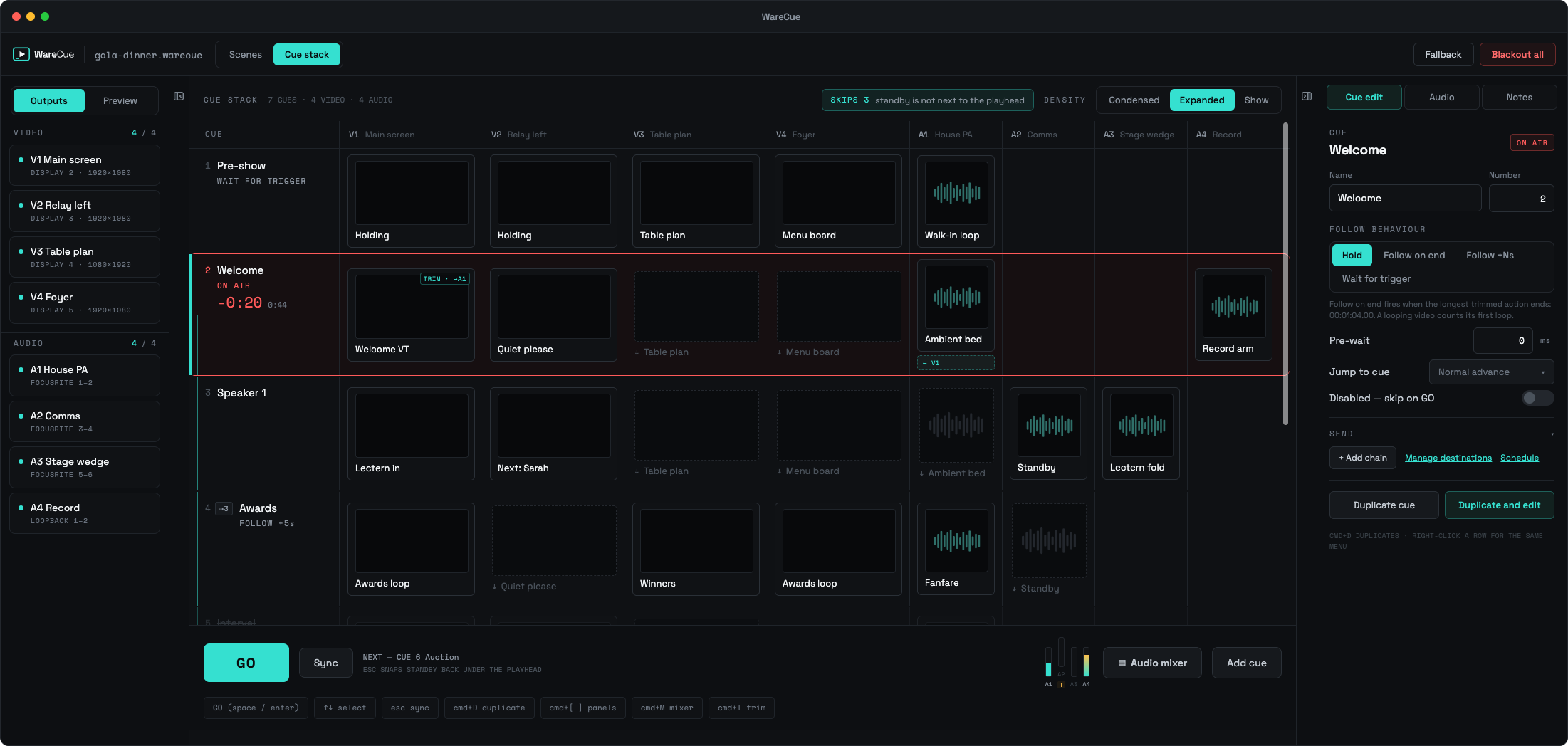
Assets, scenes, cue stack
Load your media into Assets, build your scenes, then create your cue stack. Stop at scenes for a simple show, or carry on to the cue stack when you need more.
Can you get QLab for Windows?
No. QLab is made by Figure 53 and runs only on macOS, and there is no Windows version. Windows users either buy a Mac to run QLab, or use show control software that runs on Windows, such as WareCue, which also runs on Mac.
Who WareCue is for
WareCue vs QLab
| WARECUE | QLAB | |
|---|---|---|
| Runs on Windows | Yes | No |
| Runs on macOS | Yes, released alongside Windows | Yes |
| Learning curve | Low: assets, scenes, cue stack, GO | Higher: deep programming options |
| Take-and-go scenes without a cue list | Yes: layers, slideshows and show timers | Cue list based |
| Cue stack with GO and standby | Yes | Yes |
| Independent video and audio outputs | Up to 4 + 4 per machine | Yes |
When QLab is the right choice: pick QLab for complex theatre sound design and deep show programming on a Mac — it is the industry standard for that work. Pick WareCue when you want the same cue-stack approach on Windows or Mac, a take-and-go scenes system for simpler shows, and a show that people who aren’t show programmers can run.
QLab details are limited to what’s verifiable; for its full feature set see figure53.com.
What you get
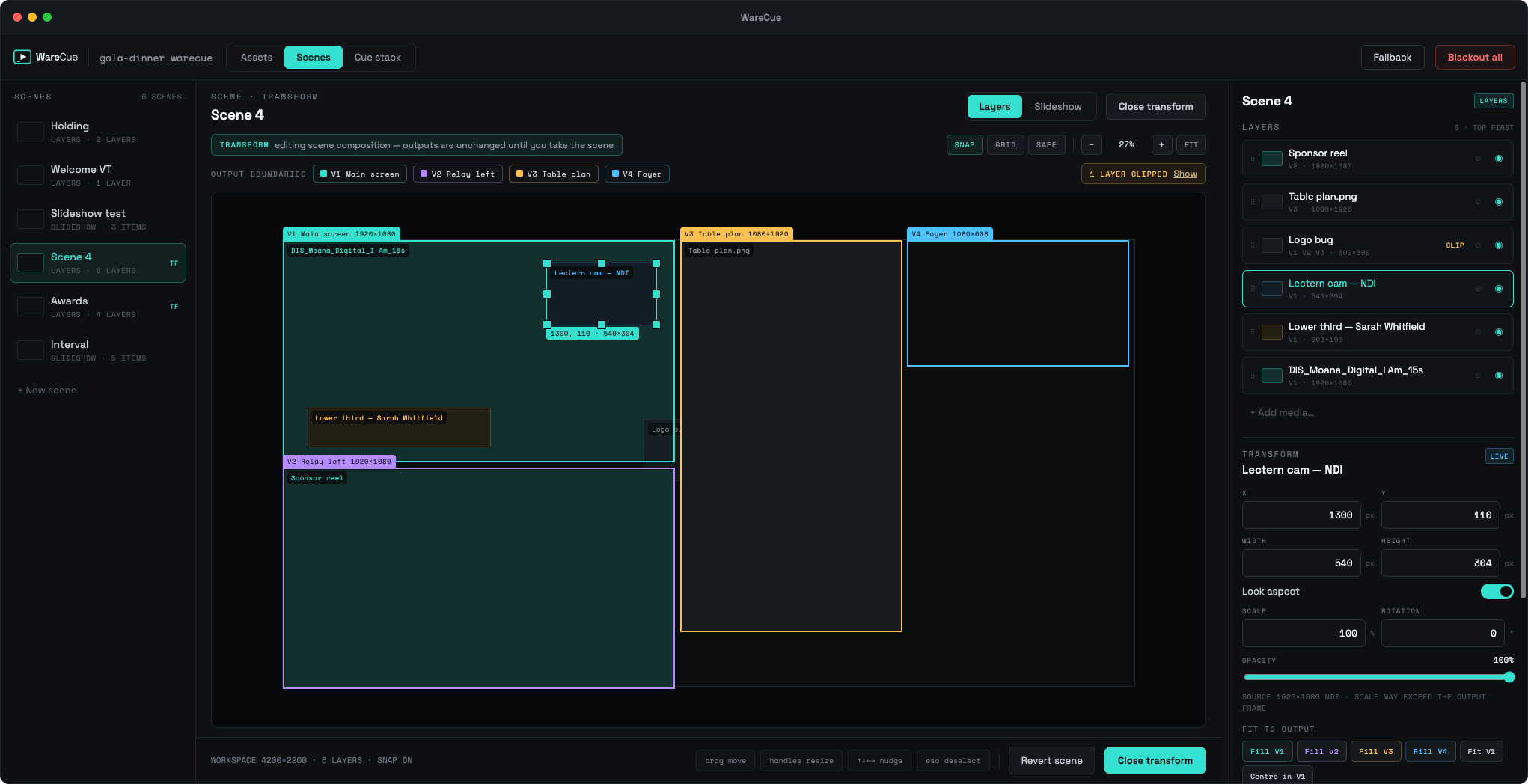
Simple licences, offline activation
| LICENCE | PRICE | OUTPUTS | BEST FOR |
|---|---|---|---|
| Trial | Free | Full Master features, watermarked | Trying your show |
| Solo | £199 one-off | 1 video + 1 audio, inbound triggers | Single exhibits and screens |
| Master | £249/yr or £29/mo | 4 video + 4 audio, outgoing sends, 2 activations | Events, galleries, multi-screen shows |
| Node | £99/yr | Adds 4 video + 4 audio to a Master | Larger installs |
See full pricing on the pricing page.
Frequently asked questions
Is there a Windows version of QLab?
No. QLab is made by Figure 53 and runs only on macOS; there is no Windows version. WareCue is show control for Windows (and Mac) with a similar cue-and-GO workflow.
What is the best QLab alternative for Windows?
WareCue: cue-based video and audio playback for live events, museums and venues on Windows and Mac, with a GO cue stack, take-and-go scenes, scheduling and kiosk mode.
Is WareCue easier to learn than QLab?
WareCue is built around three steps — assets, scenes, cue stack — so a trained operator can run a show without deep programming. QLab offers deeper programming for complex theatre work.
Can WareCue play video on several screens at once?
Yes. A Master licence drives up to 4 independent video outputs and 4 audio outputs from one machine. Node licences add more outputs on other machines.
Does WareCue run unattended for museums and exhibitions?
Yes. It can start with the computer, reopen in kiosk mode after a restart, and follow a schedule so playback starts and stops with your opening hours. Offline activation is available.
Can I trigger WareCue from a Stream Deck?
Yes. There's a Bitfocus Companion module, so a Stream Deck can fire cues. WareCue also accepts OSC, MIDI, HTTP, WebSocket and TCP, in and out.
How much does WareCue cost?
Solo is £199 one-off. Master is £249 a year or £29 a month. Node is £99 a year. The trial is free with watermarked outputs.
Does WareCue run on Mac as well?
Yes. WareCue runs on Windows and macOS, released together, so mixed Windows and Mac kit can use one tool.
Show control anyone can run
Download the free trial, load your media into Assets, build a scene and press GO. Add a cue stack when the show needs it.
WINDOWS + MACOS · FREE TRIAL · NO CARD REQUIRED
Related: Mitti alternative for Windows
LAST UPDATED 11 OCTOBER 2026